Access the Bentley Connect Center, go to www.connect.bentley.com
Register a ProjectWise project
In the Bentley Connect Center, click on the Project button on the top ribbon. This will lead you to your project list. If you have a project you want to use, select it from the list, otherwise register a new one.
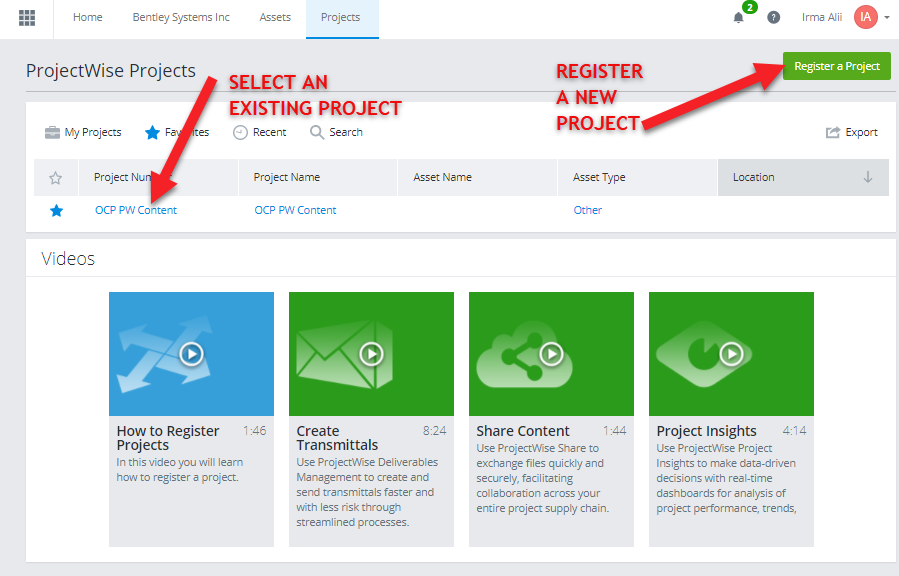
Register a project
Click on the Register a project button, see the example of a registered project with instructions:
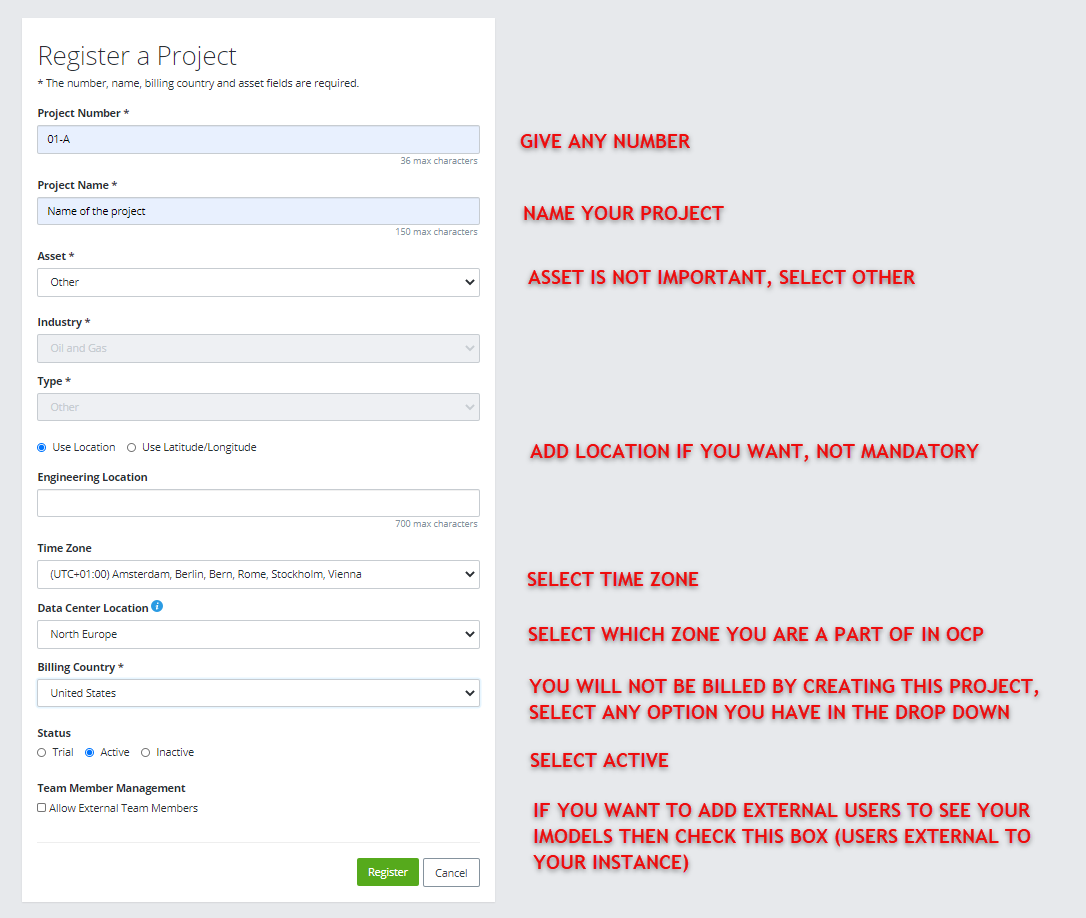
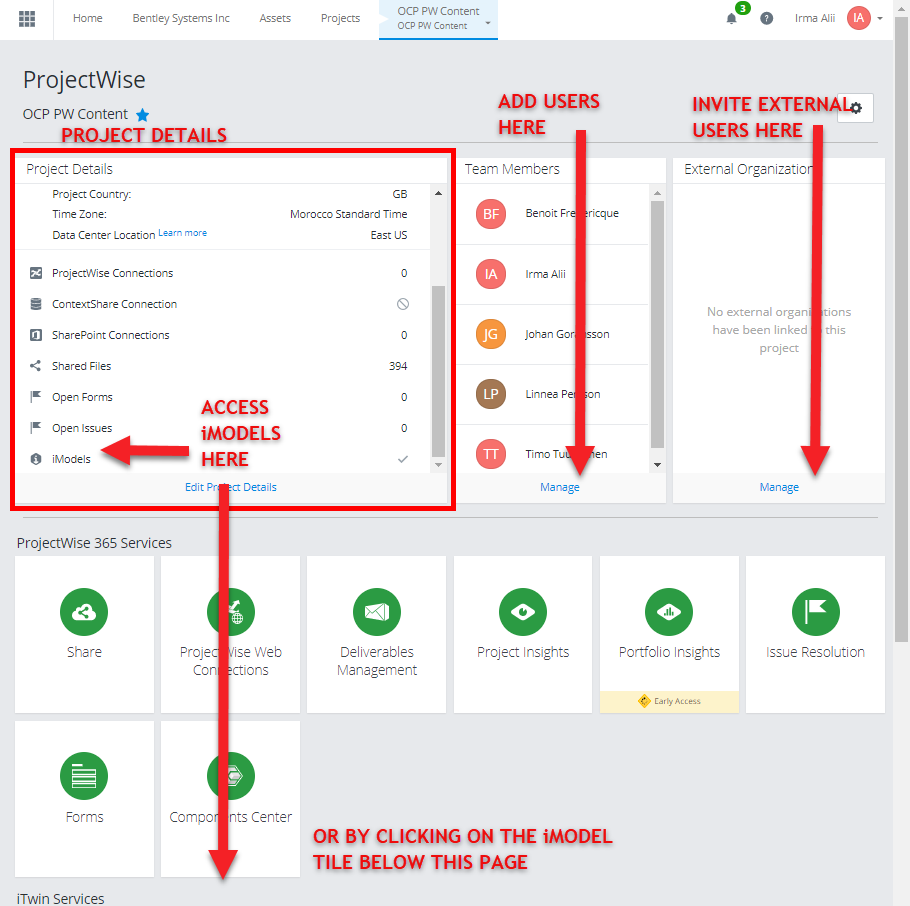
Once you have registered a project, open it from the project list. You will see the content of the projects. The most important part are:
- Project details – basic information on the project
- Team Members -select which of your organization’s users to give access to this project and iModels
- External organization – control access to external users who are not part of your organization
Have in mind that by adding users to Team Members and External organization, you enable them to see the iModels. Without adding them here, iModels will be disabled for them in the OCP project. However, you are still going to have to add the users into the OCP project, as editors or viewers.
You can access your iModels from the Project Details or from the iModel Manager tile under iTwin Services (scroll down).
Click on iModel Manager to access your iModels.
In the next step we cover how to Create a new iModel.
Back to the iModel start page.